
For coaches
Less clipboard. More hockey.
Set up your team in one sitting, track player training at home, and run your Combine without the spreadsheet. Built in Canada by a minor hockey coach, for minor hockey coaches.
No password, and no card to set up. Confirm your email, add your team (about 2 minutes), and most teams are approved right away (some within 1–2 days). No family hears from us until you’re approved.
Set up in one sitting
Paste your roster from Google Sheets or Excel, or choose a CSV file, with a parent email beside each player. Tap Send invites: PuckStreak reminds families on day 3 and day 7 and shows you who has joined. No chasing.
Hockey Combine day, sorted
Run fitness testing stations the way you already do: jumps, speed and agility, strength, the 20 m Shuttle Run. Each coach enters results on a phone or tablet: Next up shows who to call, and the protocol sits beside every test. Personal bests and progress show up for families automatically.
Standard protocols
Broad jump, lateral bound, 30 m sprint, 5‑10‑5, pull-ups, push-ups, dead hang, plank.
20 m Shuttle Run, built in
Beeps and voice calls follow Hockey Canada’s protocol. Run the team in waves, tap a runner out, and their level and shuttle are saved.
Crease Crew tests
Wall-ball catches, reaction, butterfly flexibility, hip switches and balance for goalies.
Paper backup
Print a scoresheet for the gym and enter it later. No signal? Results wait on screen and save when it’s back. Every entry shows who recorded it.
Game lineups in a minute
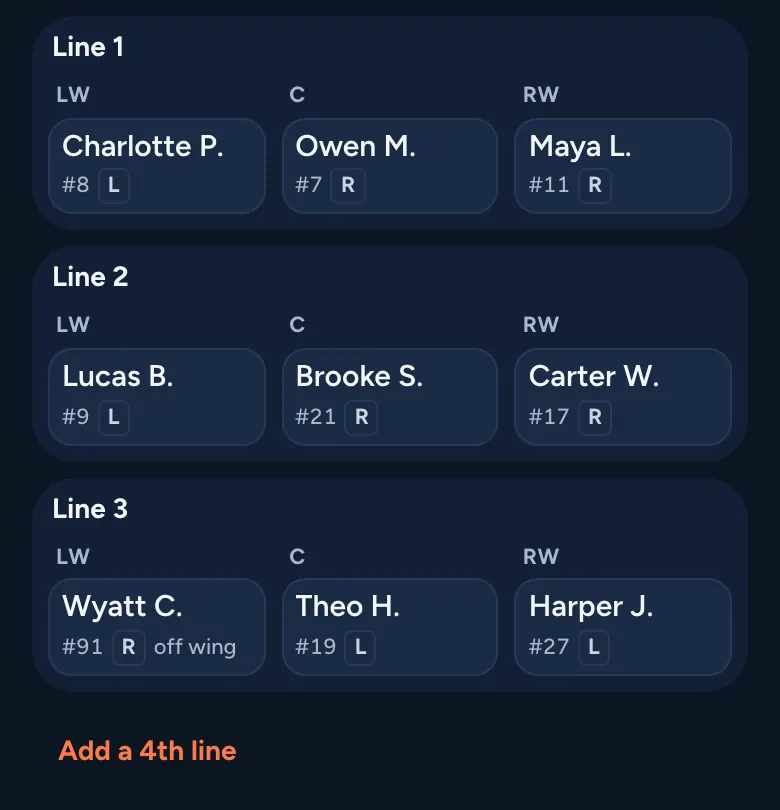
Set lines, D pairs and goalies on your phone with your roster already loaded. Tap or drag, add call-ups for the day, then open the bench view or print it. Every game is saved, with a season report and a rotation helper for fair turns. Staff only: families and players never see a lineup.
Challenges that build habits
Set a weekly theme like Backhand Week, with Bronze, Silver and Gold tiers for skaters and goalies. The Team Quest and Team PuckStreak give the dressing room something to chase together.
Know who needs a nudge, or a rest
Quiet Radar shows who hasn’t logged in a while, so you can send the family a friendly note. Busy Radar flags anyone who might need a rest day. Never a public callout, never a private message to a player.
Your whole staff, the right access
Head coach
Everything, including roster, staff and settings.
Assistants & trainer
The Combine, the schedule, Radar and player progress. Assistant coaches also run challenges.
Goalie coach
A Crease Crew view and goalie challenge tiers.
Team manager
Everything assistants can do, plus the roster and invites.
Set up free. $99 for your season.
Start your team in a few minutes, and build your roster while you wait for approval.
No password, and no card to set up. Confirm your email, add your team (about 2 minutes), and most teams are approved right away (some within 1–2 days). No family hears from us until you’re approved.
See pricing