
For coaches · Lineups
Hockey lineup maker for coaches.
Set your line combinations on your phone in a minute. Your roster is already loaded: tap players into C, LW and RW, D pairs and goalies, then open the bench view or print it.
No password, and no card to set up. Confirm your email, add your team (about 2 minutes), and most teams are approved right away (some within 1–2 days). No family hears from us until you’re approved.
Free to use, no sign-up. Part of PuckStreak: no ads, and families never pay.
Free · no sign-up
Try it now: make a lineup
Type or paste your players, then tap or drag them into lines, D pairs and goalies. Print it, share it as a PDF or copy it as text.
How it works
Lineups is a tab in the coach’s side of PuckStreak. Everything below is the real app, with a made-up team.
Your roster, already loaded
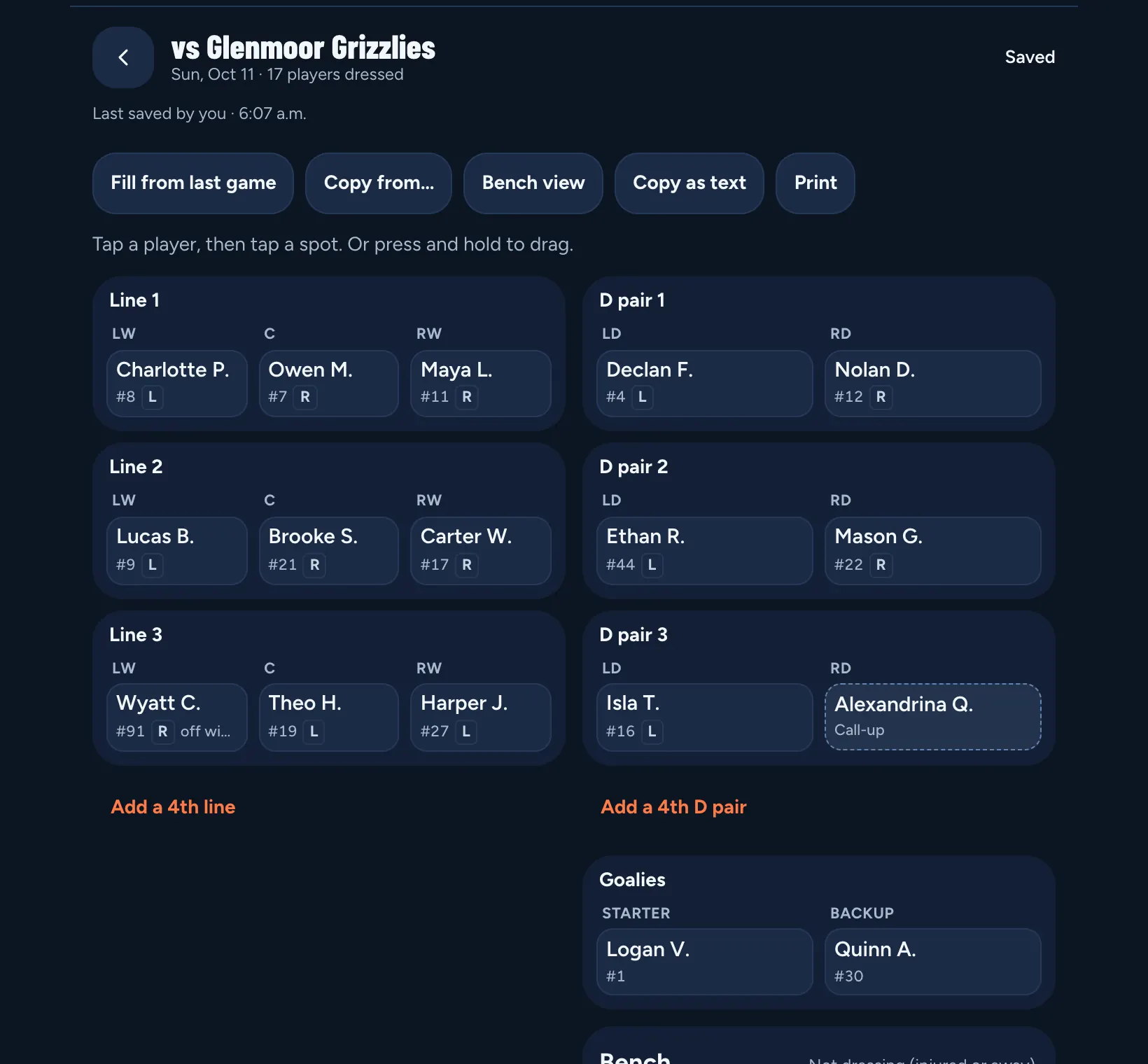
Start a lineup for any game on your schedule, or add a new game right there. Players start in their roster positions, so most of the lineup is set before you touch it.
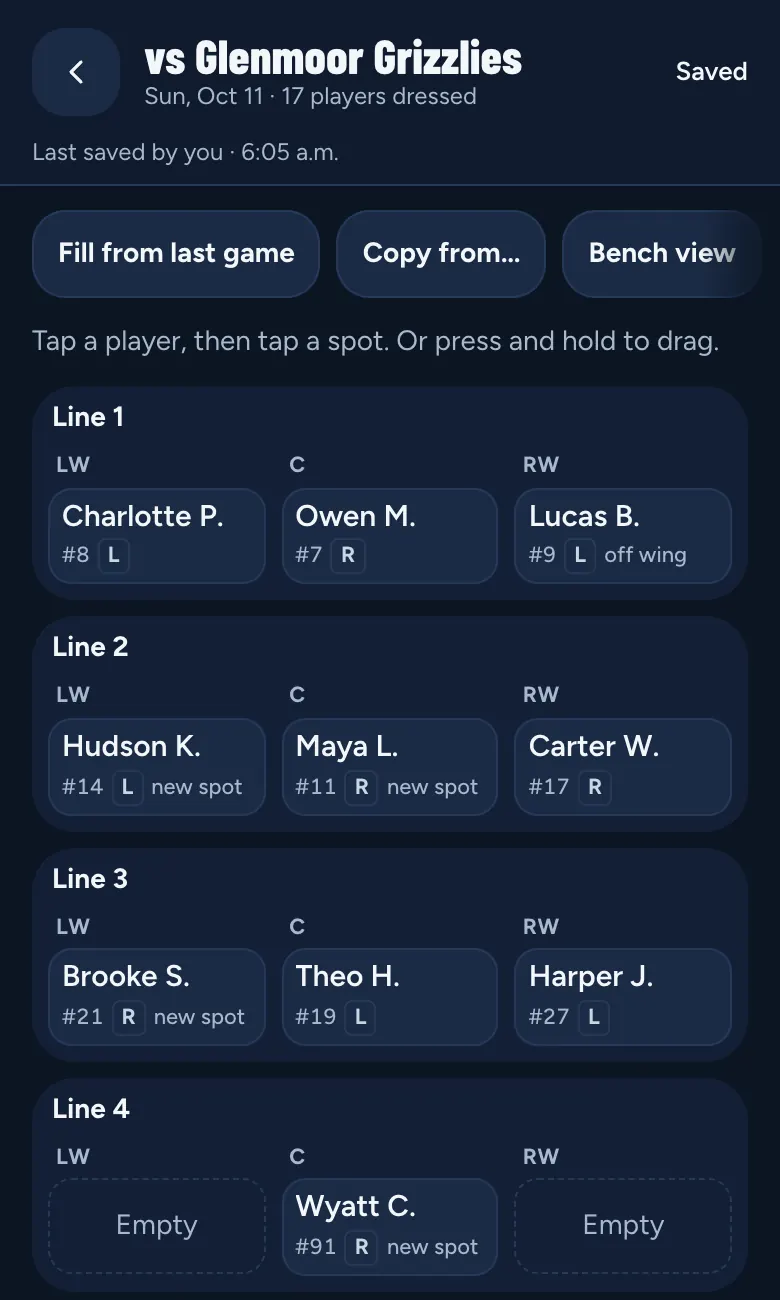
Tap or drag
Tap a player, then tap a spot. Or press and hold, then drag. Drop on a filled spot and the two players swap. Every player and spot is a button, so it works one-handed and with a screen reader.
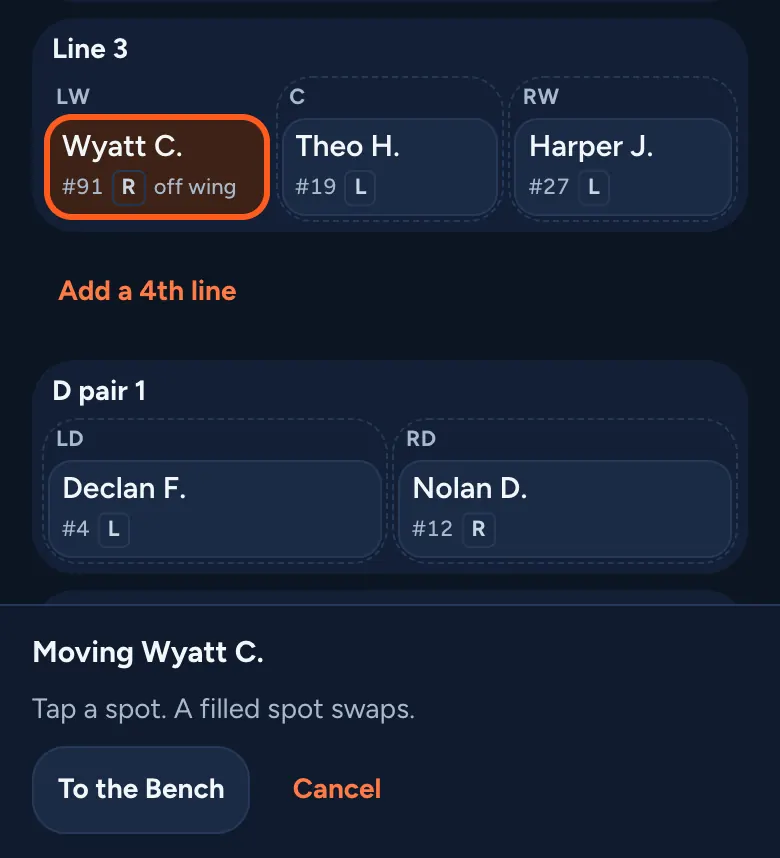
Shoots left or right, and preferred spots
Note which hand each player shoots with and the positions they like on the Roster. The lineup shows an L or R on each player and a quiet “off wing” or “new spot” hint. Hints only: you make the call.
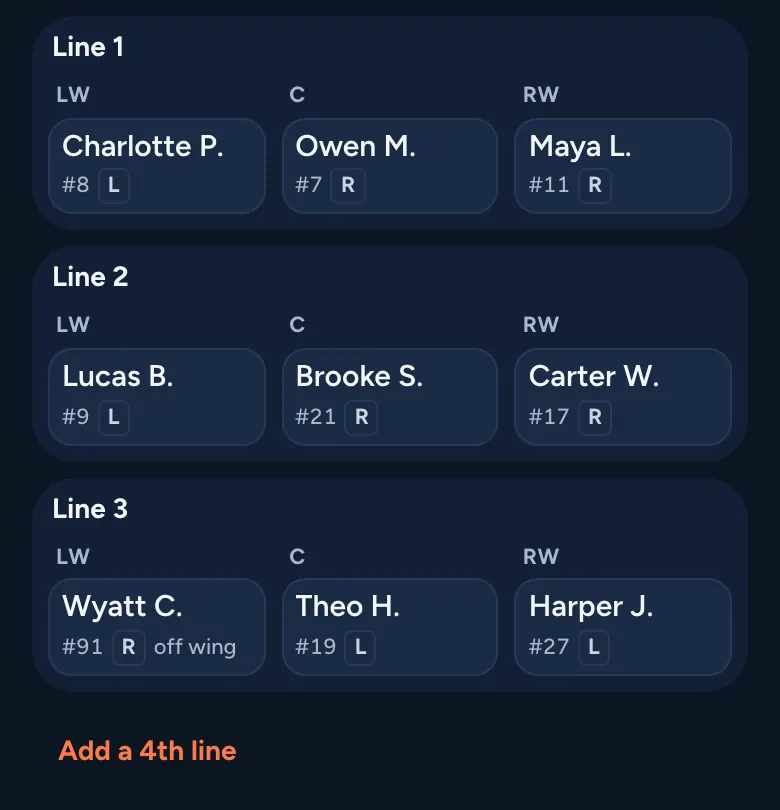
Call-ups for the day
Short a skater or a goalie? Add a call-up with a first name and last initial. They’re for that game only, up to 6 a game, and sit on the Bench until you place them.
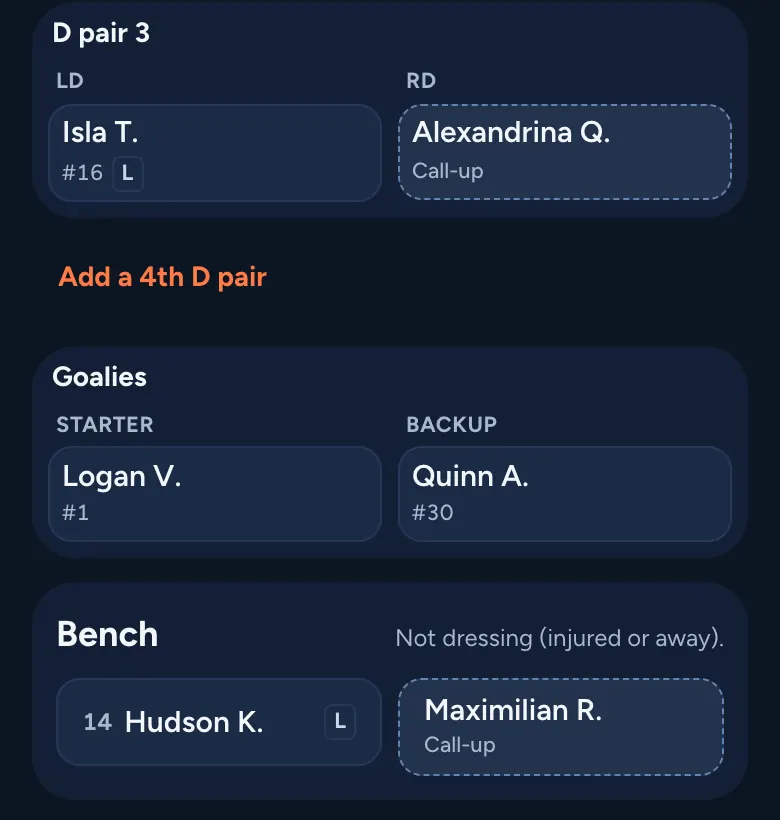
Fill from last game
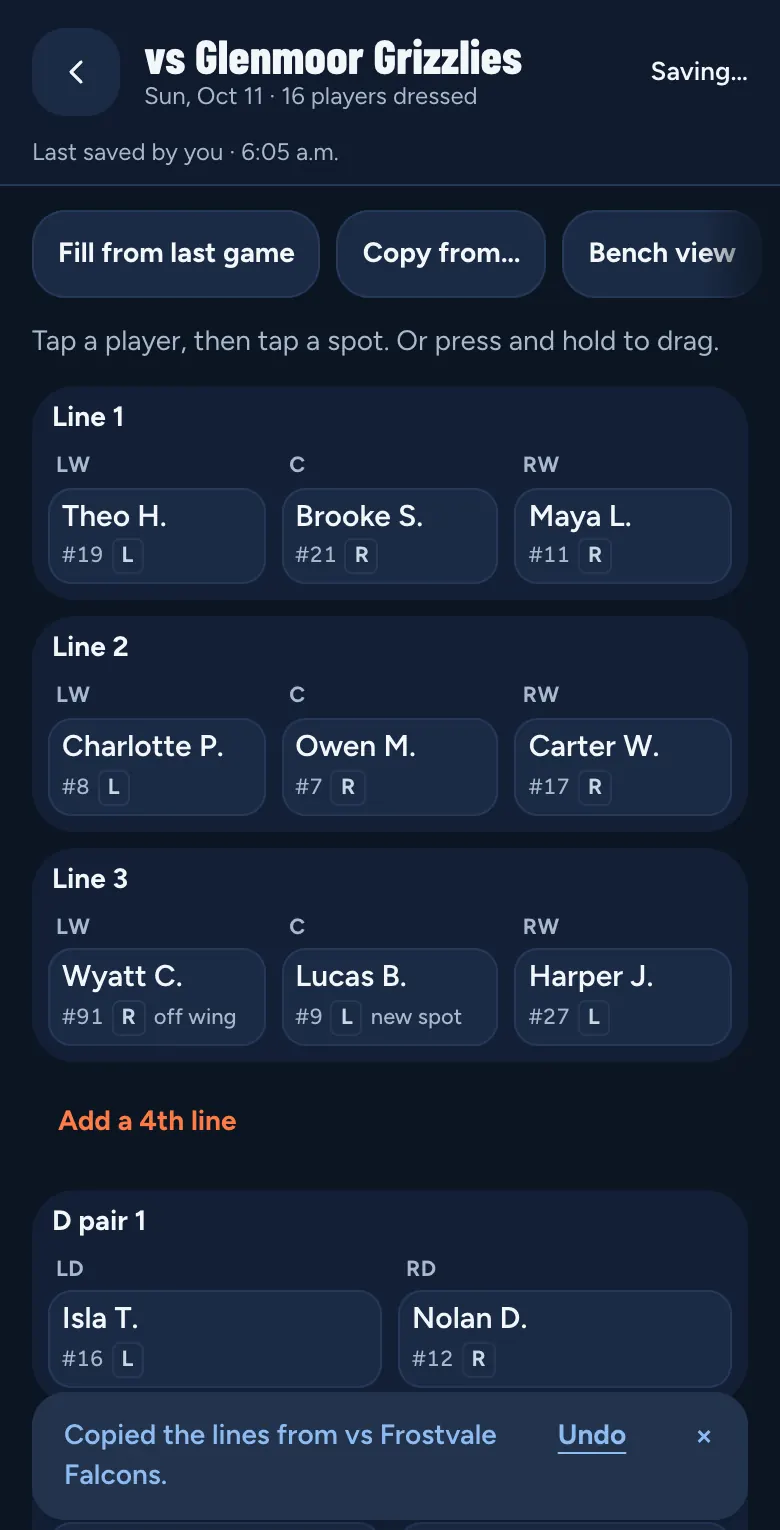
One tap copies last game’s lines. Or copy any game this season. Changed your mind? Undo.
Bench view
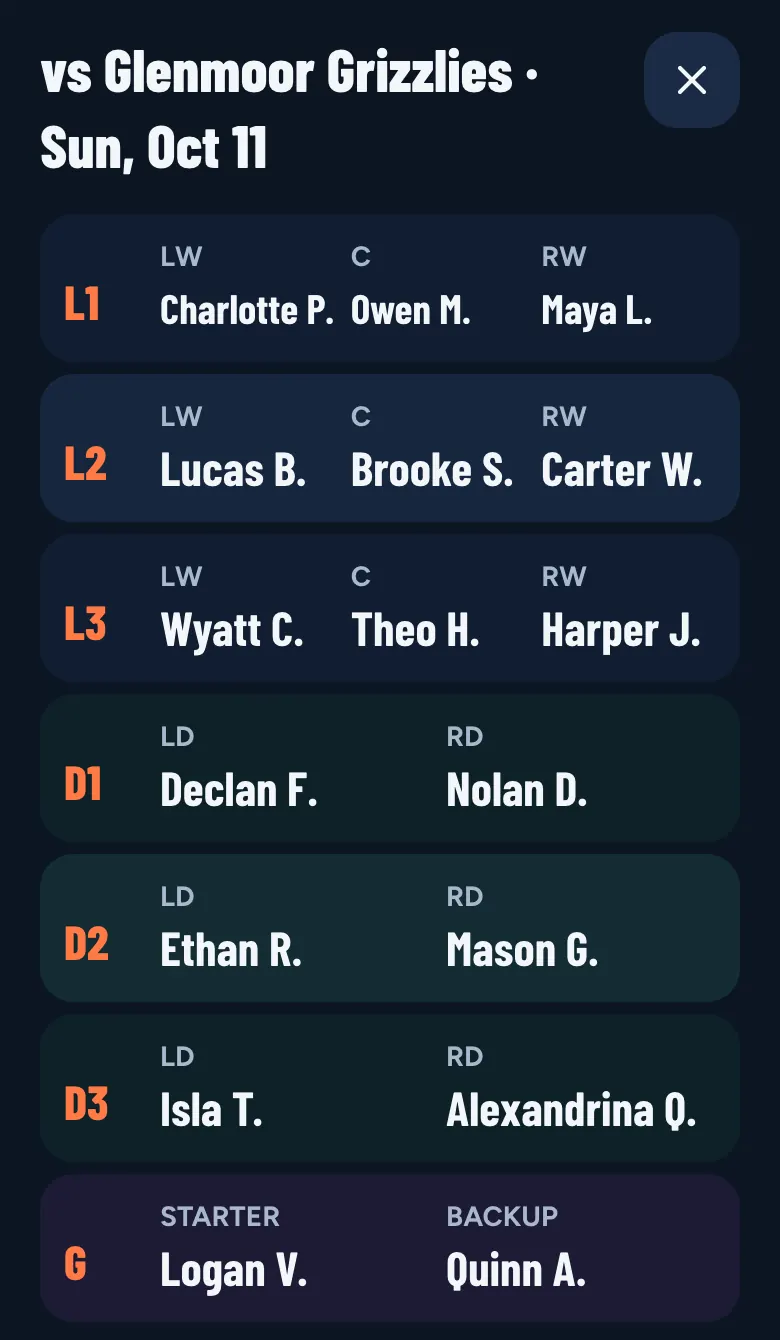
Big names on a dark screen, one band per line, D pair and the goalies. Easy to read at a glance from the bench.
Print or share it as a PDF, from your phone
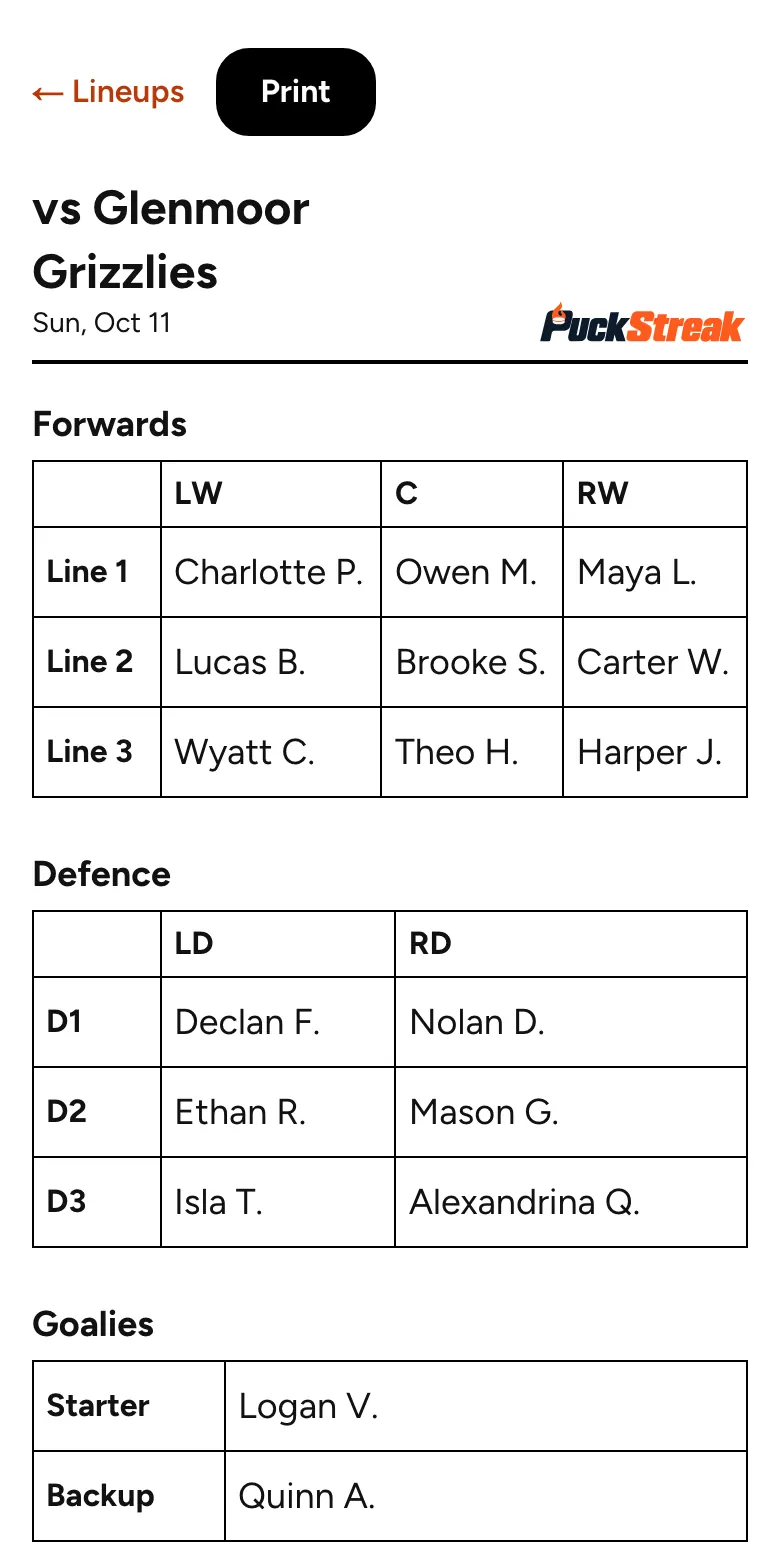
Print a clean black-and-white sheet from any browser. In the home-screen app on an iPhone or iPad, Print makes a one-page PDF and opens the share sheet, so you can print it or send it. Or copy the lineup as text for your staff chat.
Every game saved
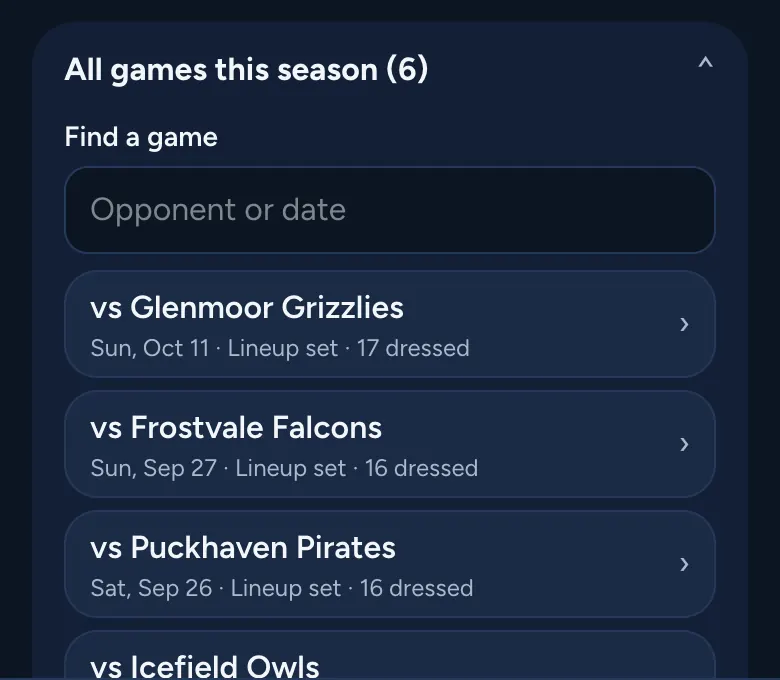
Each game’s lineup is kept for the season. Find one by opponent or date. Changes save as you go, and if the rink’s signal drops, keep the screen open: it saves when you’re back online.
Season report
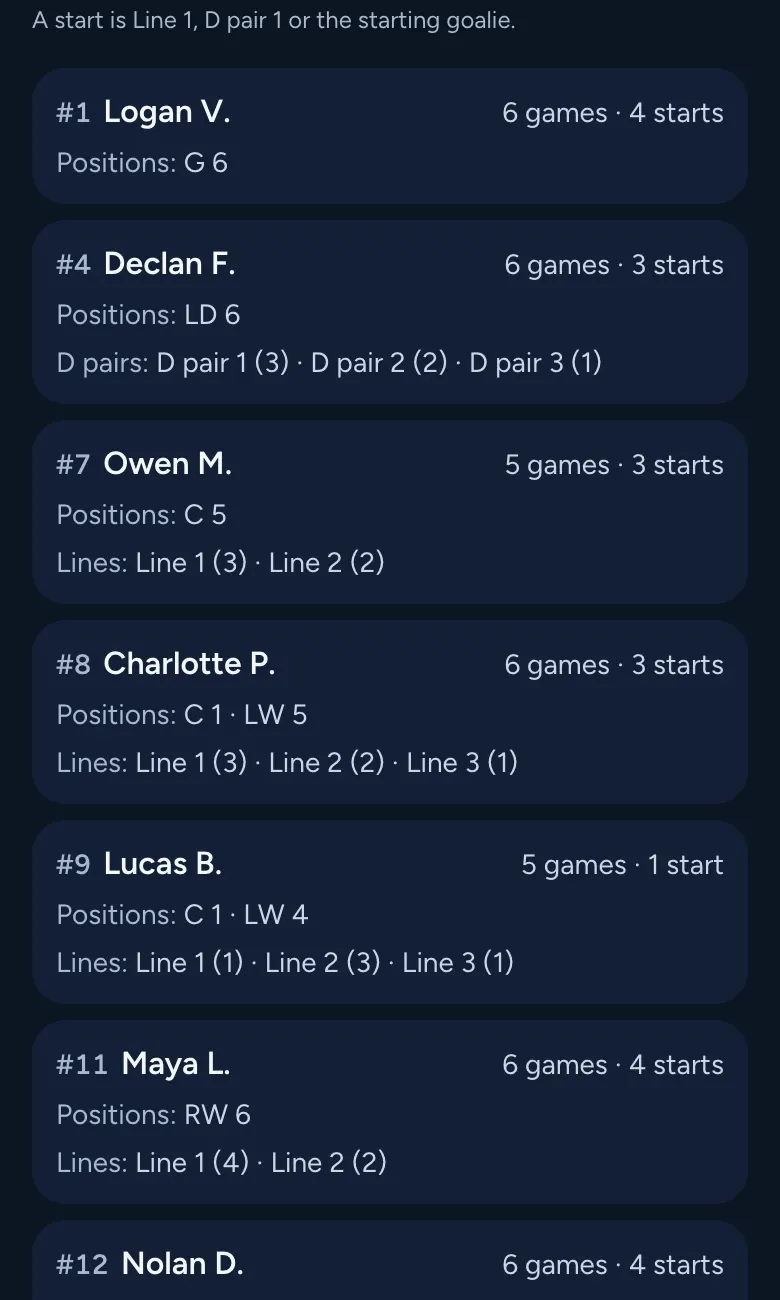
For each player: games dressed, starts, games at each position, and games on each line and D pair. A start is Line 1, D pair 1 or the starting goalie.
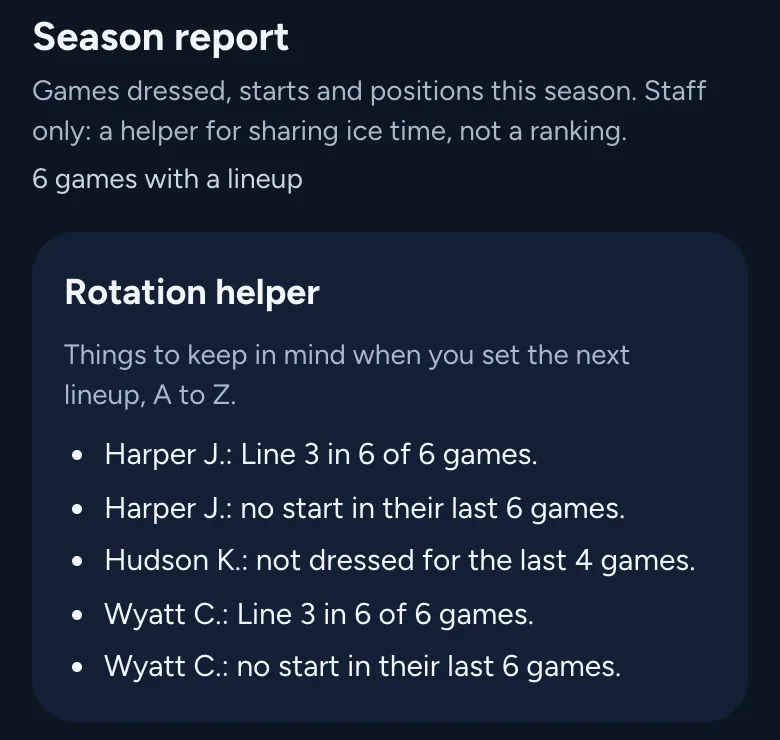
A rotation helper for fair turns
Plain reminders, A to Z, before you set the next lineup: no start in their last 5 games, on the bottom line in most games, or not dressed for the last 3. A helper for sharing ice time, never a ranking.

Dressed games count toward the streak
Every player you dress gets the game as an active day, automatically, so their PuckStreak keeps going. A game the family already logged counts once, and call-ups don’t count.
Phone at the rink, iPad at home
One column on a phone. On an iPad, the lines, D pairs, goalies and Bench sit side by side.
Coaches only
Lineups stay with your staff
- Lineups are for your team’s staff: the head coach, assistant coaches, goalie coach and team manager.
- Families and players never see a lineup, so no player sees themselves ranked by line.
- A lineup never shows on the Team screen, in an email or in a family’s download.
Lineup questions
Is the lineup maker free?
Yes. Try it on this page with no sign-up: the names stay on your device. With a PuckStreak team, every game’s lineup is saved too (a team’s season is $99 + tax, and families never pay). No ads.
Does it work on a phone?
Yes. It’s built for a phone at the rink: one column, big tap targets, and press and hold to drag. It works on an iPad or a computer too, in the browser or from your home screen.
Can I print the lineup?
Yes. Print a one-page sheet with the lines, D pairs and goalies. In the iPhone or iPad home-screen app, Print makes a PDF and opens the share sheet: tap Print there. You can also copy the lineup as text.
Can parents or players see the lineup?
No. Lineups are for team staff only: the head coach, assistant coaches, goalie coach and team manager. Families and players never see a lineup.
Can I add call-ups?
Yes. Add up to 6 call-ups a game with a first name and last initial. They’re for that game only, and they don’t get an active day.
Does it track positions?
Yes. The season report counts each player’s games at C, LW, RW, LD, RD and in goal, their games on each line and D pair, and their starts. You can also note which hand each player shoots with and their preferred positions.
Which age groups can use it?
Any team on PuckStreak, from U7 to U21. Set 3 forward lines or add a 4th, 3 or 4 D pairs, and a starting and backup goalie.
Set your next lineup in a minute.
Start your team, paste your roster, and your first lineup is ready to go.
Start your teamNo password, and no card to set up. Confirm your email, add your team (about 2 minutes), and most teams are approved right away (some within 1–2 days). No family hears from us until you’re approved.